A quick look inside
See how Syllora works
From syllabus objective to classroom-ready lesson plan — here's what you'll see when you sign in.
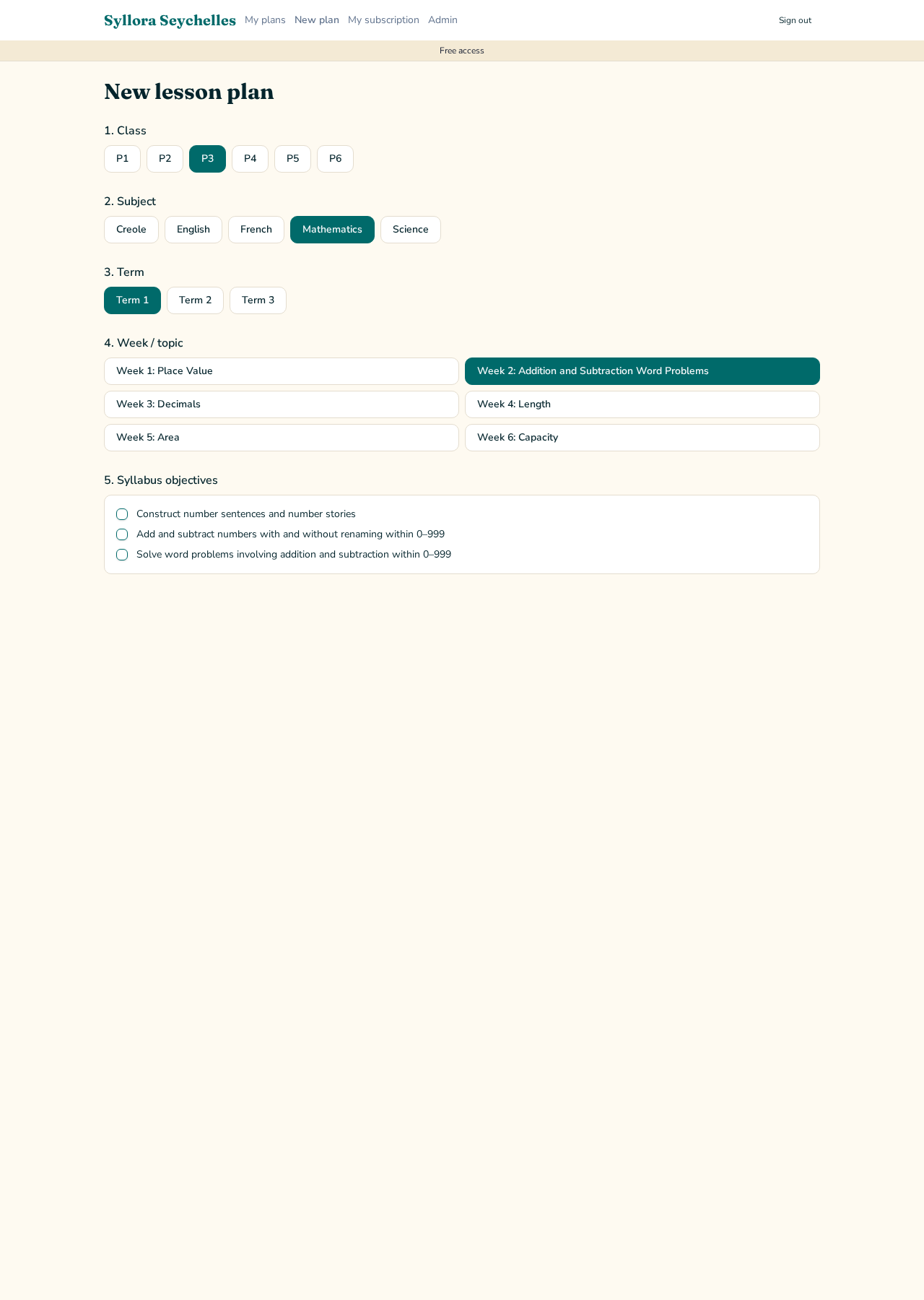
1. Choose what you're teaching
Pick your class, subject, term and week, then tick the syllabus objectives you want to teach. Syllora plans only around the objectives you select — nothing unrelated.
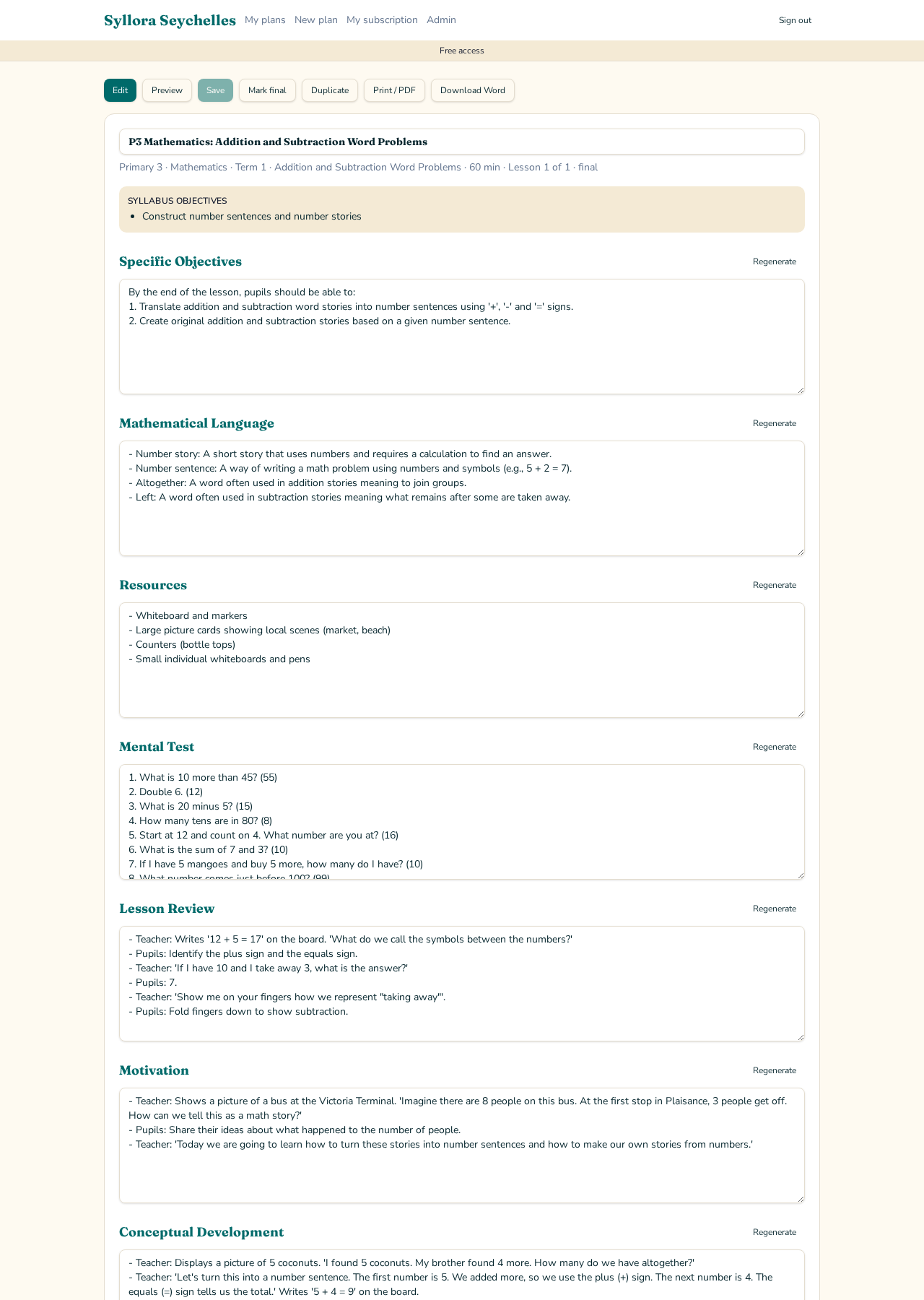
2. Your lesson plan, ready in moments
Syllora builds a complete, structured lesson plan with clear teacher guidance and pupil activities. Every section is yours — edit it, or regenerate just that section until it suits your class.
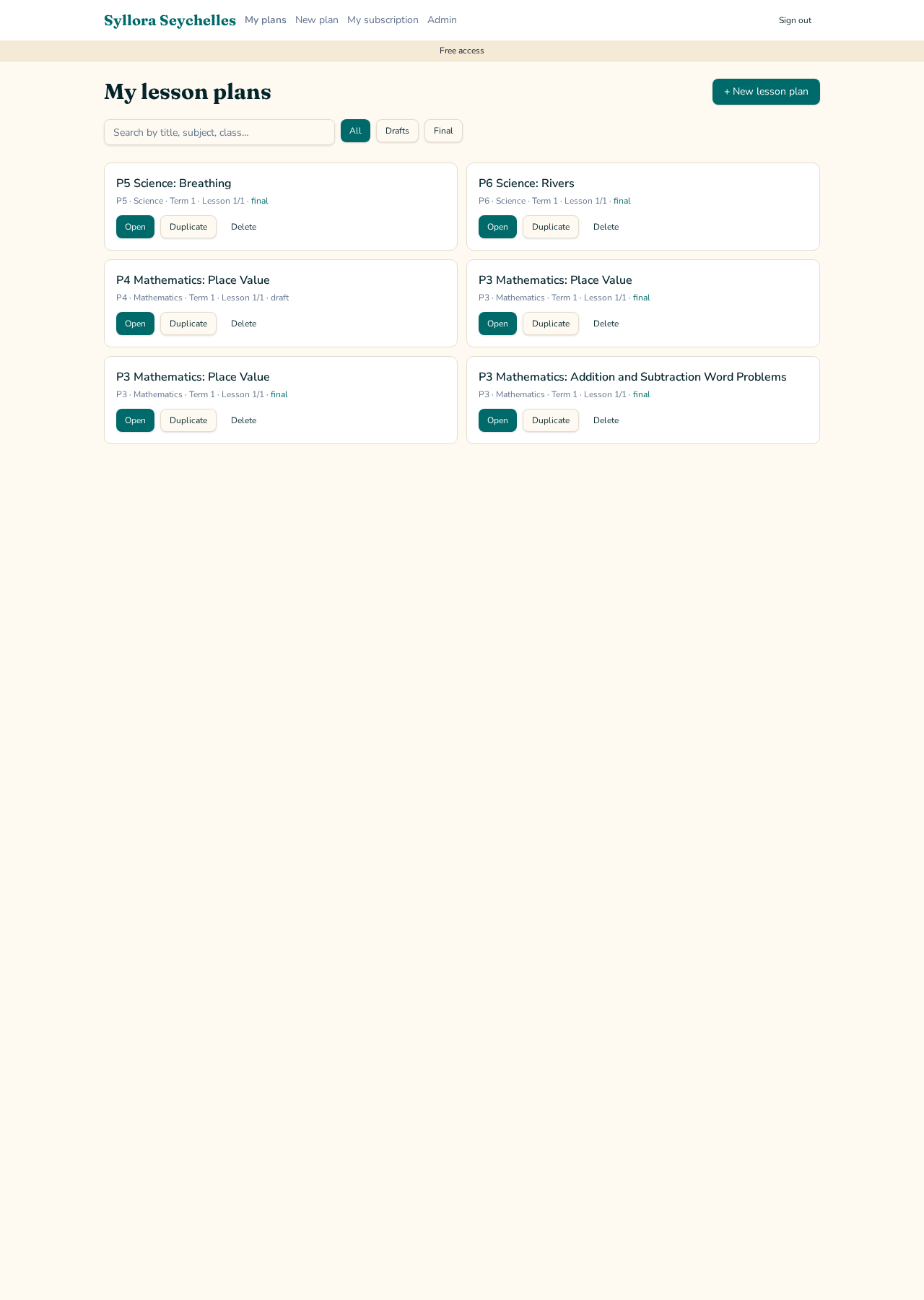
3. Save, print and reuse
All your plans are kept safely in one place. Open them any time, duplicate a favourite, print to PDF or download as Word — ready for your classroom.